Create a Mint #
A Mint exchanges a network’s native coin for an ERC-20 token at the configured rate.
How users participate: Send the current network’s native coin (such as BNB or ETH) directly to the Mint contract address. The contract automatically sends the corresponding ERC-20 tokens to the paying wallet. Never send the native coin to the ERC-20 token address.
The screenshots use BNB Chain. Button labels, native symbols, and fees change with the selected network. Treat the final review and wallet confirmation as authoritative.
1. Before you start #
Prepare:
- an EVM wallet that can connect to FatSale;
- a standard ERC-20 contract on the selected network;
- enough native coin for the creation fee and gas;
- long-term Owner and proceeds-recipient wallets;
- sufficient tokens and allowance if inventory stays in the Owner wallet; or
- the initial deposit if inventory will be stored in the Mint contract.
An NFT, an address from another network, or an exchange deposit address cannot be used as the Mint asset. Wait until the page displays the token name, symbol, decimals, and wallet balance.
2. Supported networks and fees #
These are the on-chain settings deployed on 2026-08-25. The platform offers two charging modes: a fixed creation fee or commission. The table lists the current fixed creation fee. The current default commission rate is 2%, calculated from the native coin actually used by each later Mint.
| Network | Native coin | Fixed creation fee |
|---|---|---|
| BNB Smart Chain | BNB | 0.05 BNB |
| OKT Chain | OKT | 10 OKT |
| Core | CORE | 1399.48 CORE |
| Conflux eSpace | CFX | 712.98 CFX |
| Arbitrum One | ETH | 0.02 ETH |
| Base | ETH | 0.02 ETH |
| Polygon PoS | POL | 304.75 POL |
| Fantom Opera | FTM | 30 FTM |
| X Layer | OKB | 0.5 OKB |
| Robinhood Chain | ETH | 0.02 ETH |
Platform settings may change later. Always use the Creation fee shown by the page and the total in your wallet confirmation. Network gas is not included above.
3. Step 1: Choose the token #
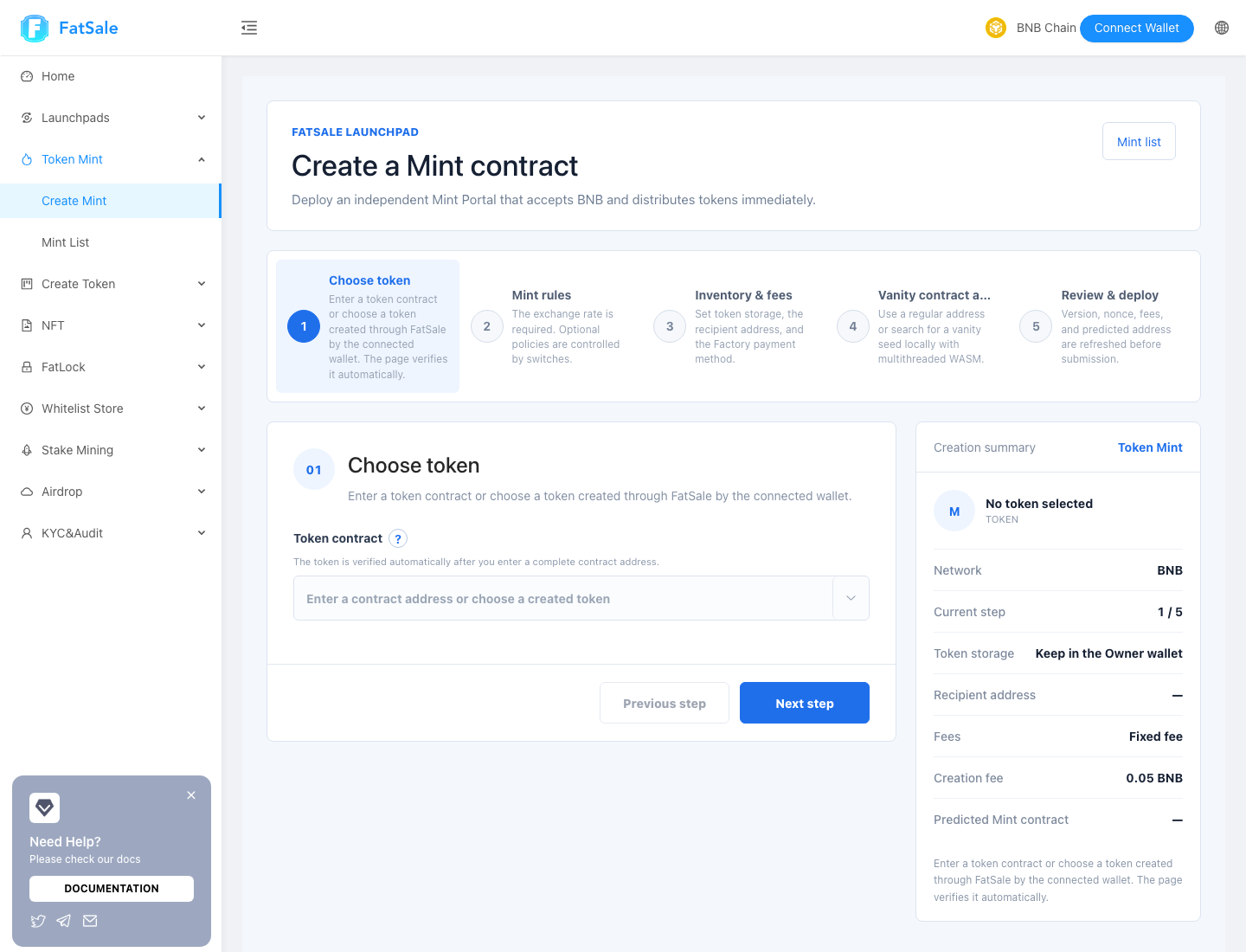
- Match the website network with your wallet network.
- Paste the complete ERC-20 address, or choose a token created by the connected wallet through FatSale.
- Wait for the green check and token metadata.
- Verify the name, symbol, decimals, and wallet balance.
- Select Next step.
The same hexadecimal address can represent different assets on different networks. If verification fails, check contract code in the current network’s explorer and recheck the selected network.
4. Step 2: Configure Mint rules #
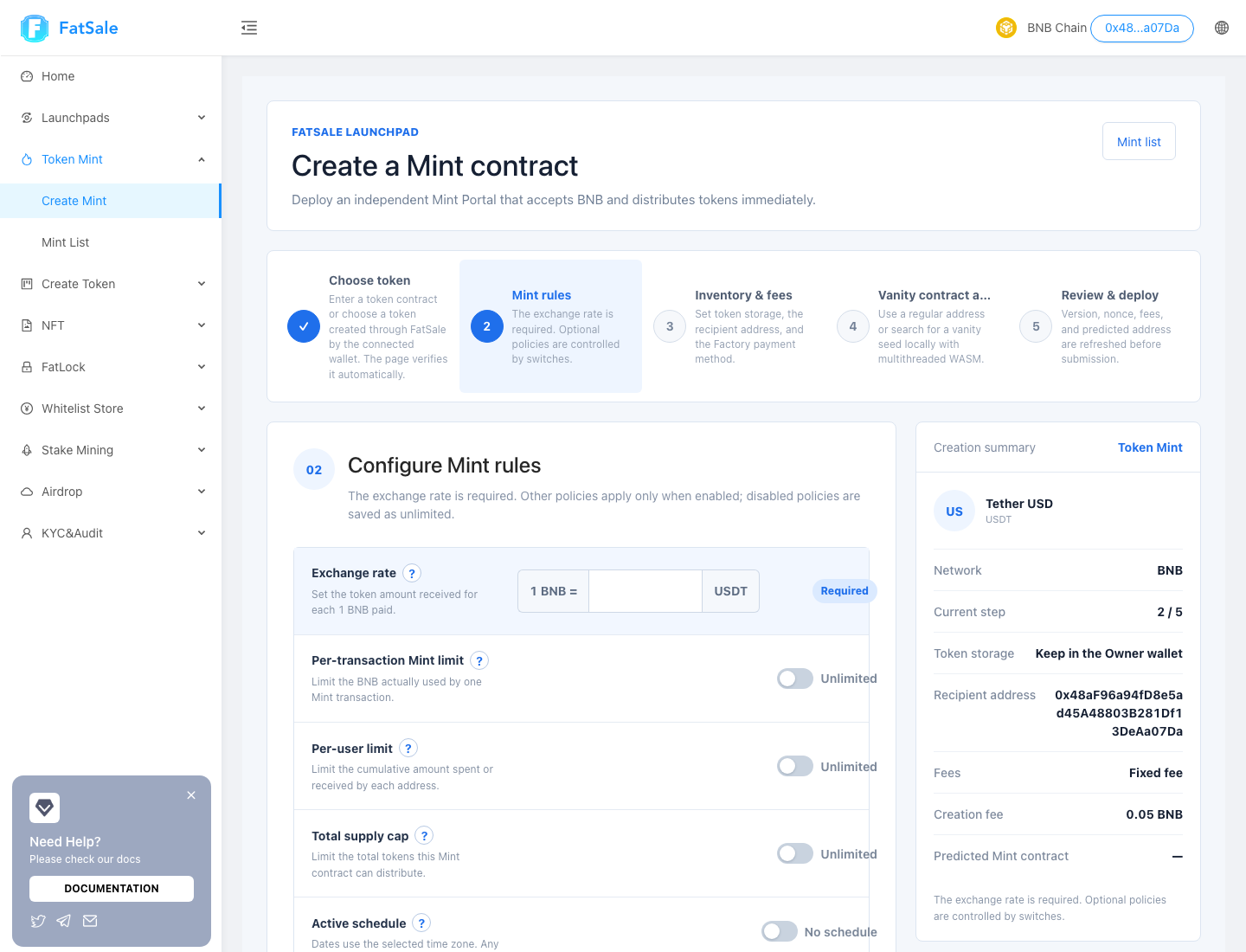
Exchange rate #
This required value means 1 native coin = token amount. On BNB Chain, entering 1000 means 1 BNB = 1000 TOKEN. Enter a human-readable amount, not Wei.
Optional controls #
A disabled control means unlimited:
- Per-transaction Mint limit: maximum native coin actually used by one transaction;
- Per-user limit: cumulative native coin spent or tokens received by one address;
- Total supply cap: maximum tokens distributed over the life of this Mint;
- Active schedule: start and end in the selected time zone; out-of-window transactions fail;
- Initial blocklist: up to 100 comma- or newline-separated addresses, written atomically at creation;
- Initial status: open immediately or start paused for checks.
For a production project, start paused and complete a small test from a second wallet before opening.
5. Step 3: Inventory, recipient, and payment plan #
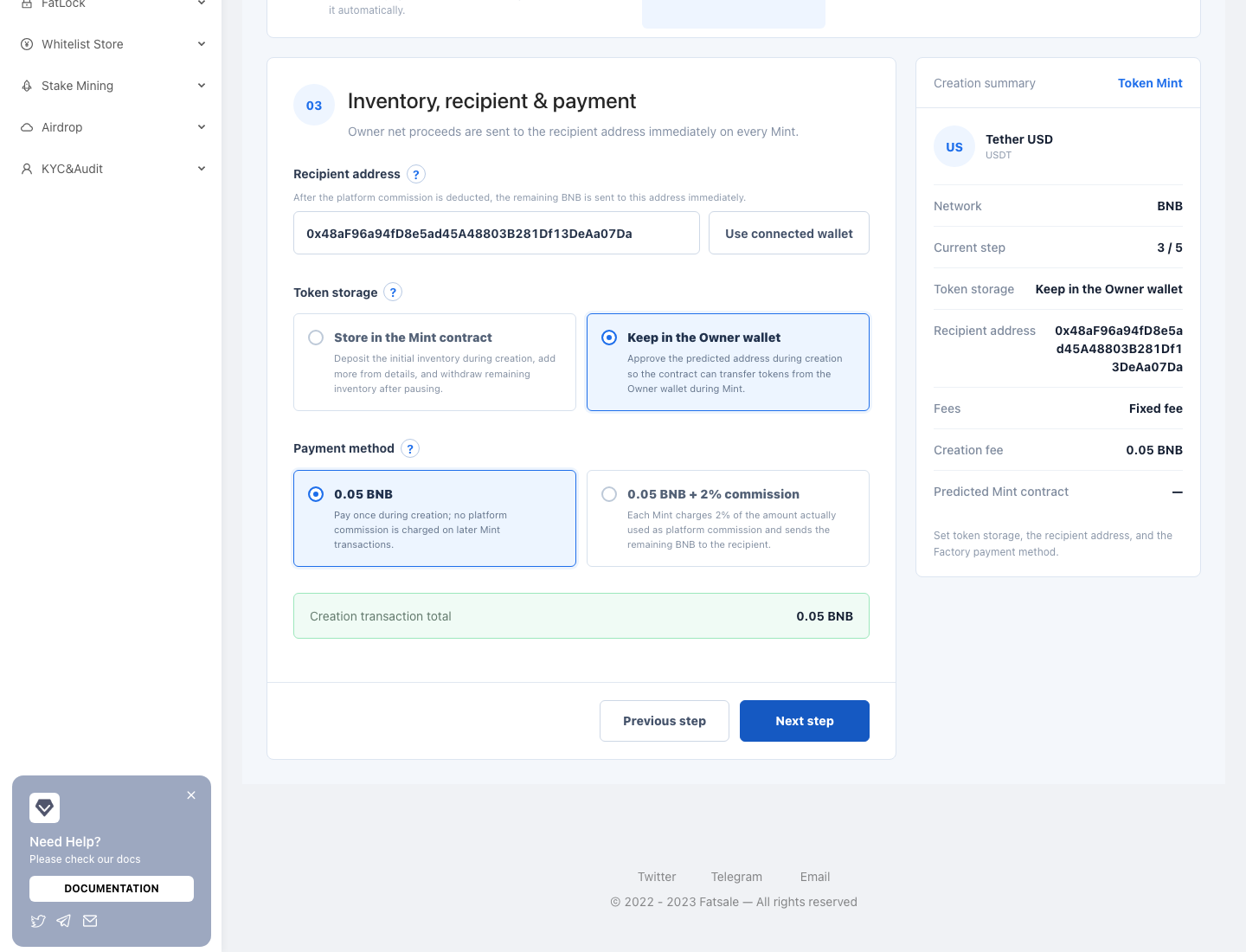
Proceeds recipient #
After any platform commission, Owner net proceeds are sent to this address immediately on every Mint. They are not held in the Portal. Use a wallet you control long term and verify the full address.
Inventory modes #
| Mode | How it works | Best for |
|---|---|---|
| Store in the Mint contract | Deposit initial inventory during creation; add more later or withdraw remaining inventory after pausing. | Separate inventory with an easy-to-audit balance. |
| Keep in the Owner wallet | Tokens remain in the fixed Inventory Wallet; the Mint transfers within its allowance. | Continued custody by the Owner wallet. |
For Owner-wallet inventory, creation asks for approval to the predicted Mint address. Do not move the tokens away after approval, or participant transactions may fail.
Payment plans #
- Fixed creation fee: pay the table fee once; later Mint transactions have no platform commission.
- Commission: every later Mint deducts the commission from the native coin actually used and sends the remainder to the recipient.
Approvals, creation, and management transactions still consume network gas.
6. Step 4: Regular or vanity address #
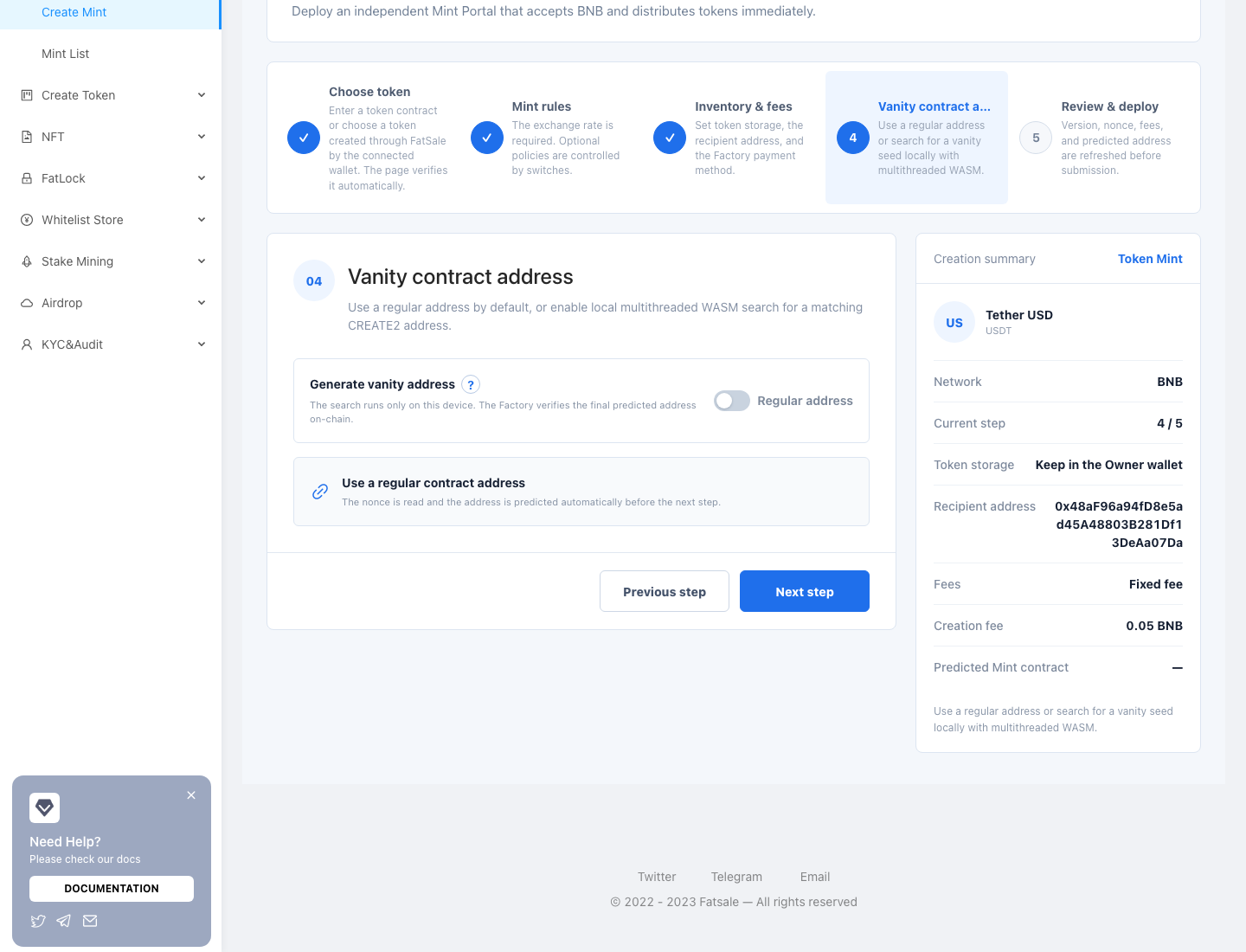
The regular mode reads the Factory nonce and predicts the final address. Vanity mode lets you match address-prefix or suffix characters by searching for a CREATE2 seed with multithreaded WASM in your browser.
- Search runs only on the current device and never needs your private key.
- More matching characters require exponentially more work and CPU.
- Do not change network or wallet, close the page, or sleep the device while searching.
- The Factory rechecks the predicted address on-chain; a prediction is not a completed deployment.
Use a regular address unless you have a specific branding requirement.
7. Step 5: Review and create #
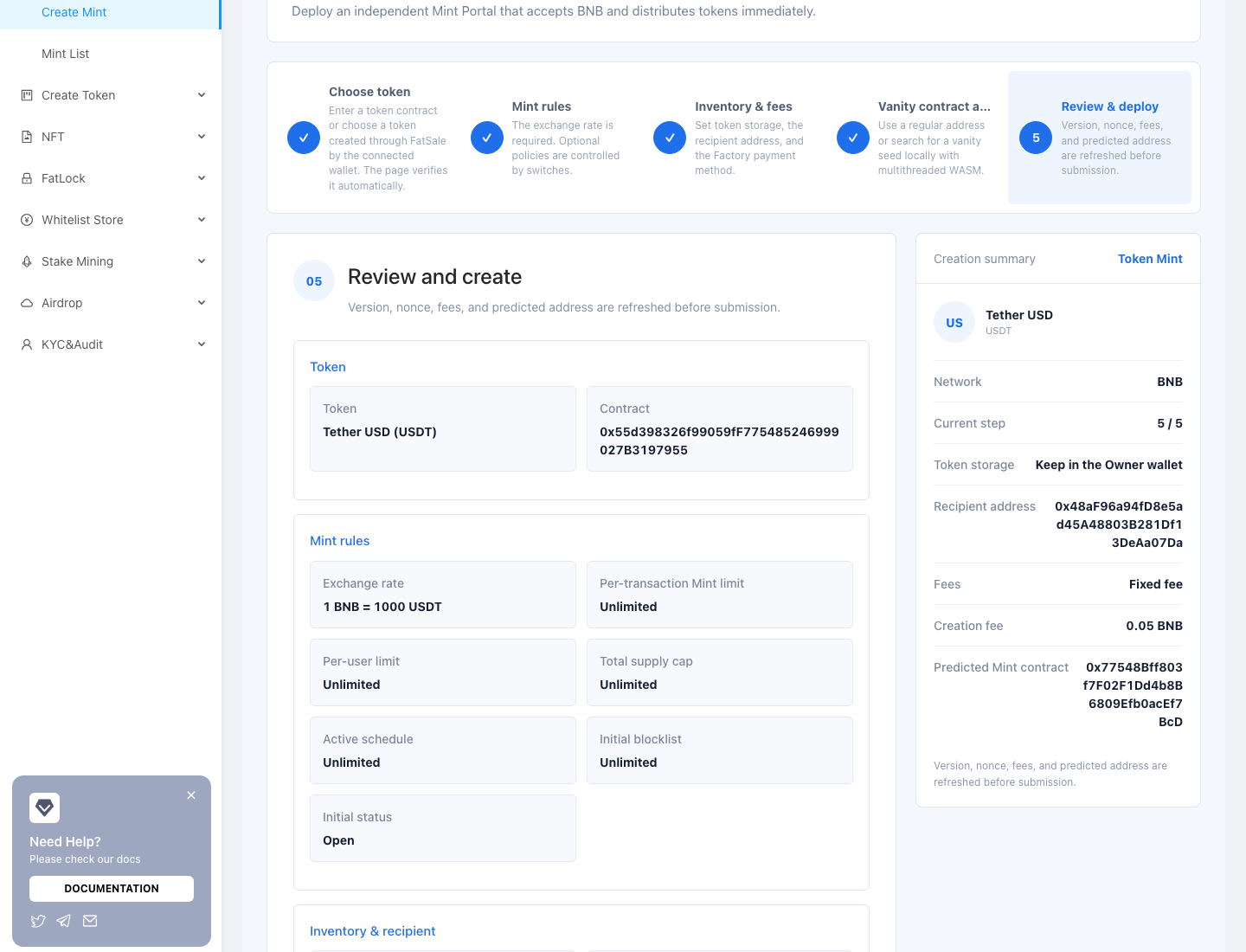
Review:
- token name and complete contract address;
- rate, transaction/user limits, supply cap, schedule, and initial status;
- inventory mode and initial deposit or allowance;
- proceeds recipient;
- fixed creation-fee or commission plan; and
- creation fee, Factory version, nonce, and predicted Mint address.
Select Start creation and complete each approval and creation transaction in order. Confirm each step once and wait for its receipt; do not resubmit merely because the page is slow.
After success, save the Mint address, creation transaction hash, network, Owner, Inventory Wallet, proceeds recipient, and public detail link.
8. Post-creation checks #
- Open the Mint detail and verify the immutable Token address.
- Check status, rate, payment plan, inventory, and remaining limits.
- Keep it paused until testing is complete, if applicable.
- Use a non-Owner wallet for a minimum-size Mint.
- Verify token delivery and Owner net proceeds. If the charging mode is commission, verify that the commission is calculated correctly.
- Publish the official link only after the test passes.
9. Troubleshooting and safety #
Token verification never completes #
Check the network, address, and contract type and make sure a wallet is connected. A standard ERC-20 must expose its name, symbol, decimals, and balance. Retry later if the RPC is temporarily unavailable.
Insufficient balance #
The creator needs both the creation fee and gas. Owner-wallet inventory also needs token balance and allowance; contract inventory needs the initial token transfer.
The predicted address changed #
The nonce, wallet, network, Factory version, or vanity seed changed. Approve only the final address shown in the review.
The transaction was sent but the page did not finish #
Check its hash in the explorer. Wait if pending; if successful, do not resubmit—return to the Mint list and refresh. If it failed, correct the reported issue before retrying.
FatSale never asks for a seed phrase or private key. Connect only on the official domain and verify the network, target contract, value, and approval spender in every wallet prompt.